


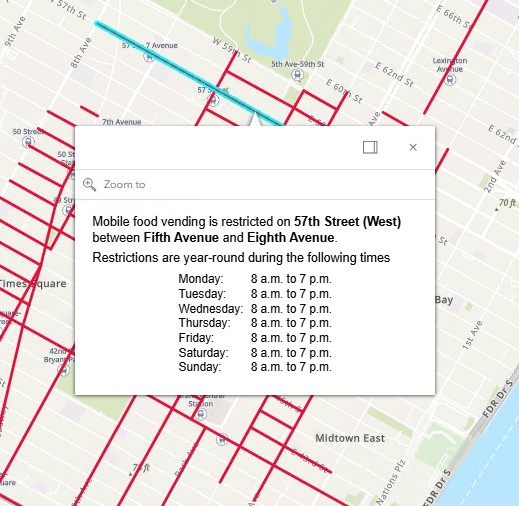
Click on a red line to see day, time, or seasonal restrictions.
See the About tab for more information.
Restricted Mobile Food Vending Streets
Select a street below to view its location on the map and see the restrictions for that street segment.
- Loading…
Welcome to New York City’s Mobile Food Vending Restricted Streets Map
Streets with red lines have vending restrictions. Click on a red line to view restriction details in the pop-up box. Zoom in to see areas with hourly, daily, or seasonal restrictions.
Depending on the type of food vending permit you have, there are certain areas that are never open for vending. These additional restrictions are listed on your individual permit decal and in our guidance: What Mobile Food Vendors Should Know (PDF). Other languages: Español | 繁體中文 | Русский | বাংলা | العربية | ελληνικά | اردو | हिन्दी | فارسى | Türk
To learn more about mobile food vending, including guidelines and how to apply for a permit or license, see Mobile Food Vendors.
If you are a general vendor who does not sell food, see NYC General Vendor Street Restrictions Map .